- New V8 licence file format, see
here more more info.
- Support for feature types: 3D Solid, Hatch,
Note/Leader
- Platform support for Bentley Navigator, AECOsim and
e-promis.
- Symbology icons in the Report Viewer
- Modified rows can now be highlighted or removed from
the report.
- Fully customisable reporting columns
- Checking of hatch type, angle, cell and spacing.
- Faster watermarking and watermark integrity checking.
- Ability to merge selected features in the feature
table editor.
- Ability to choose the drafting command for every
feature type from a drop-down list.
- Added tab pages to the Conform window to flip between
preview images, text description or both.
- Support for DTM (type 106) elements used in OpenRoads.
- The Batch Processor can now keep track of the active
model via a toggle command.
- Added ability to check and correct cells on 'is
annotation cell' status.
- Unicode support for design files with Asian language
strings (levels, style names, etc)
- Conform allows a "current scale" to be set, which
allows quick selection of the active multi-scale setting.
- Improved string filtering in Conform, including the
ability to match on level name.
- Option to check/fix on text scale proportionality
independently of text size.
- Option to check on maximum element size (useful in 3D
models with compound cells).
- The pooled licence 'alive' timer now operates in a
separate thread to
MicroStation, eliminating potential pauses due to network congestion.
- Reports can now be sorted by the last two selected
columns, and numeric columns are no longer sorted alphabetically.
- Option to allow features only if they are found in a
certain model (e.g. the title block reference model).
- Support for negative text size.
- Added a command to view a customisable
log of configuration variables from the 'Tech Support' window.
|
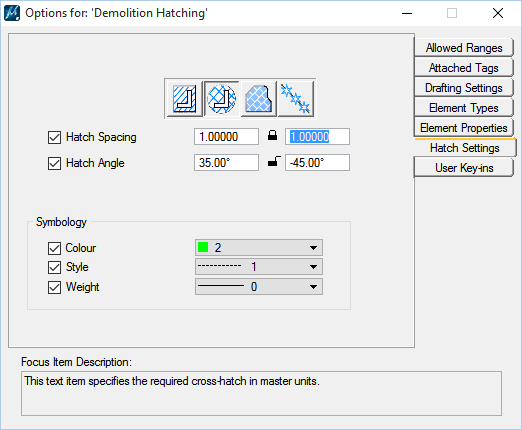
New options for defining cross-hatching
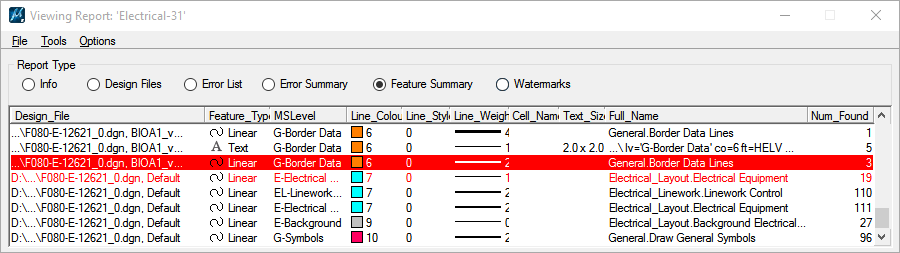 A custom Feature
Summary report showing the symbology icons and two rows with modified
elements in red.
A custom Feature
Summary report showing the symbology icons and two rows with modified
elements in red.
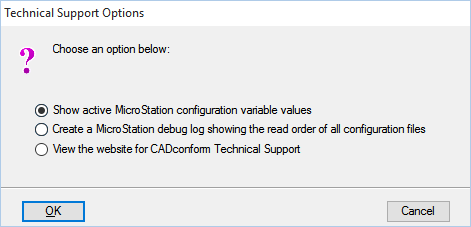
The
new 'Technical Support' window
|
|